Windows 10·11 · Microsoft Store

Your Downloads,
organized automatically.

Sortly watches for new files and sorts them using your rules. Preview every move first, and undo the entire cleanup if you change your mind.

  • No account required
  • English and Korean
  • Automatic updates
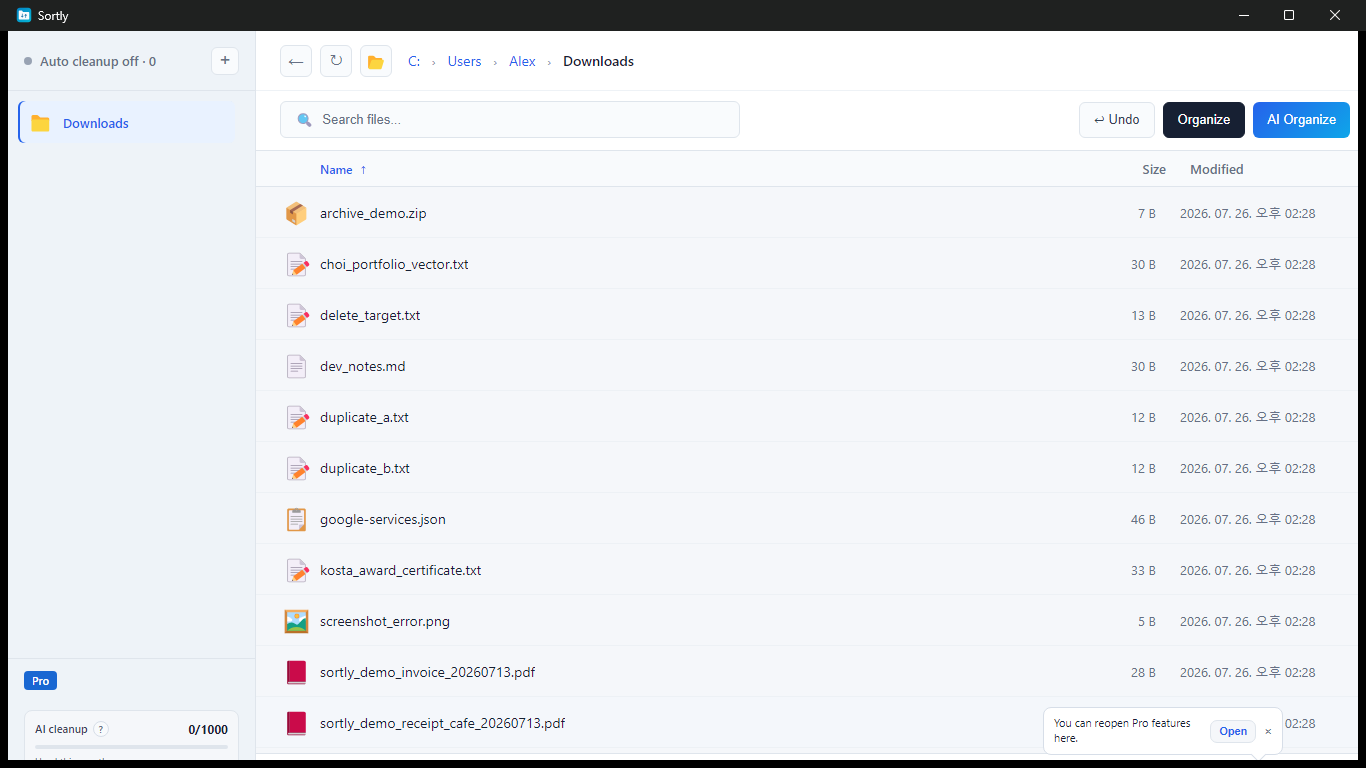
Sortly main window showing files in the Downloads folder
Auto organize readyWaiting for new files
Preview, then organize
Preview firstSee every destination before moving
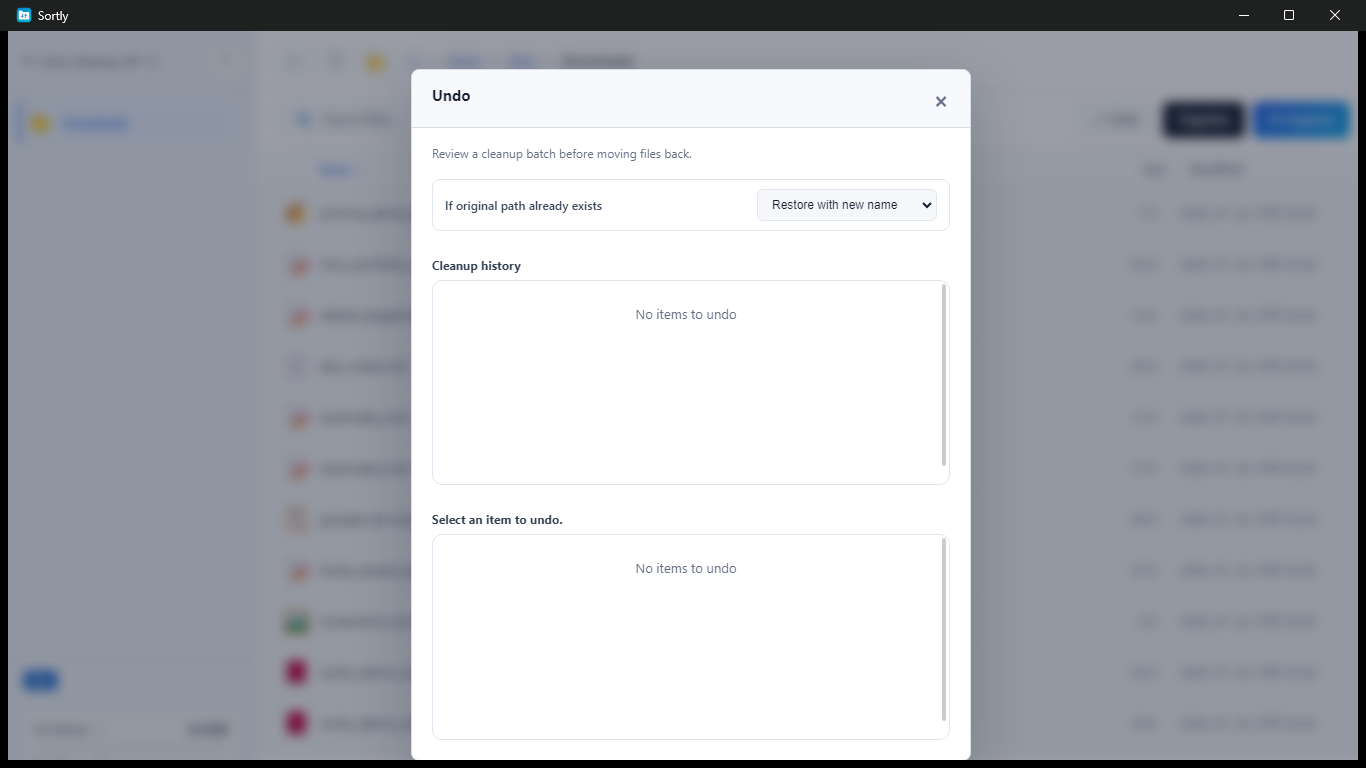
Undo anytimeRestore a complete cleanup
Your rulesSort by type and name keywords
AI when you chooseUsed only after your consent

Just three steps

Clean up quickly.
Stay in control.

Choose a folder, review the result, and organize. Sortly keeps every decision visible before files move.

  1. 01Choose a folder

    Select Downloads or any work folder you want to clean up.

  2. 02Review every move

    See which files will go to each destination.

  3. 03Organize or undo

    Clean everything at once and restore the whole job when needed.

Preview first

See the result
before files move.

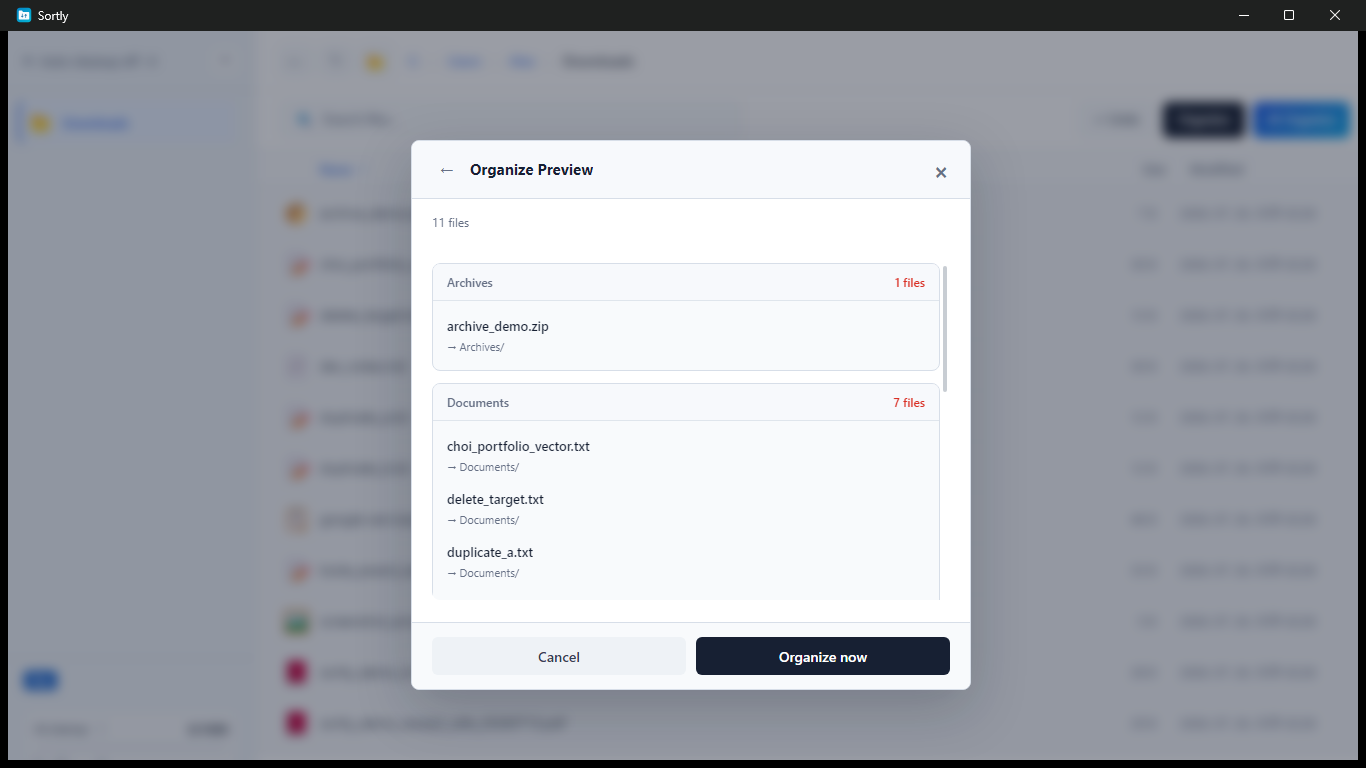
Review the files and destinations in each category. If something important appears, adjust your rules before you run the cleanup.

  • Automatic sorting by file type
  • Name keywords and custom rules
  • Size, age, and excluded-folder filters
Sortly preview showing files and their destination folders

Smart automation

Turn repeated cleanup
into reusable rules.

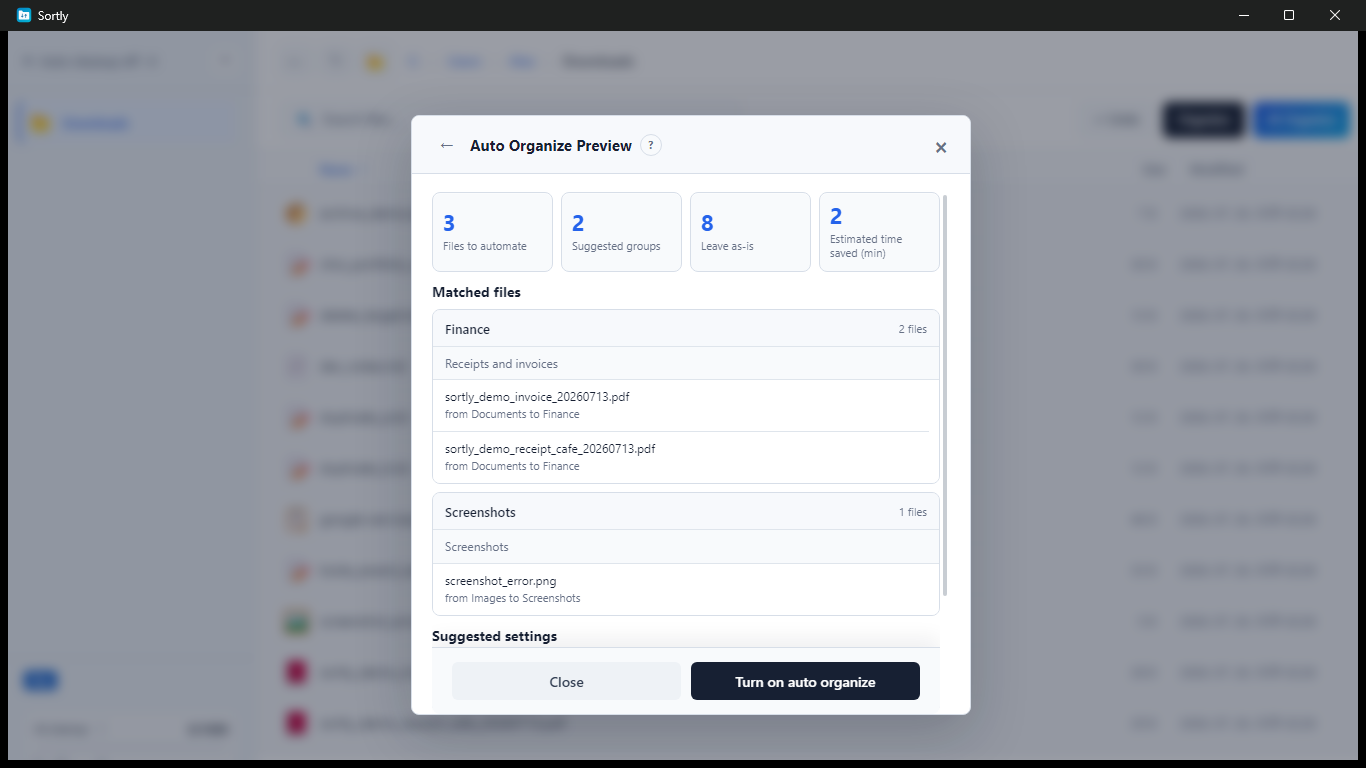
Sortly analyzes a folder without moving anything, then suggests repeated patterns and time-saving automation. You decide what to apply.

  • Files ready for automation and suggested groups
  • Custom rules for documents and screenshots
  • Multi-folder automation and schedules Pro
Sortly automation preview with suggested groups and rules

Clean with confidence

Find duplicates.
Undo mistakes.

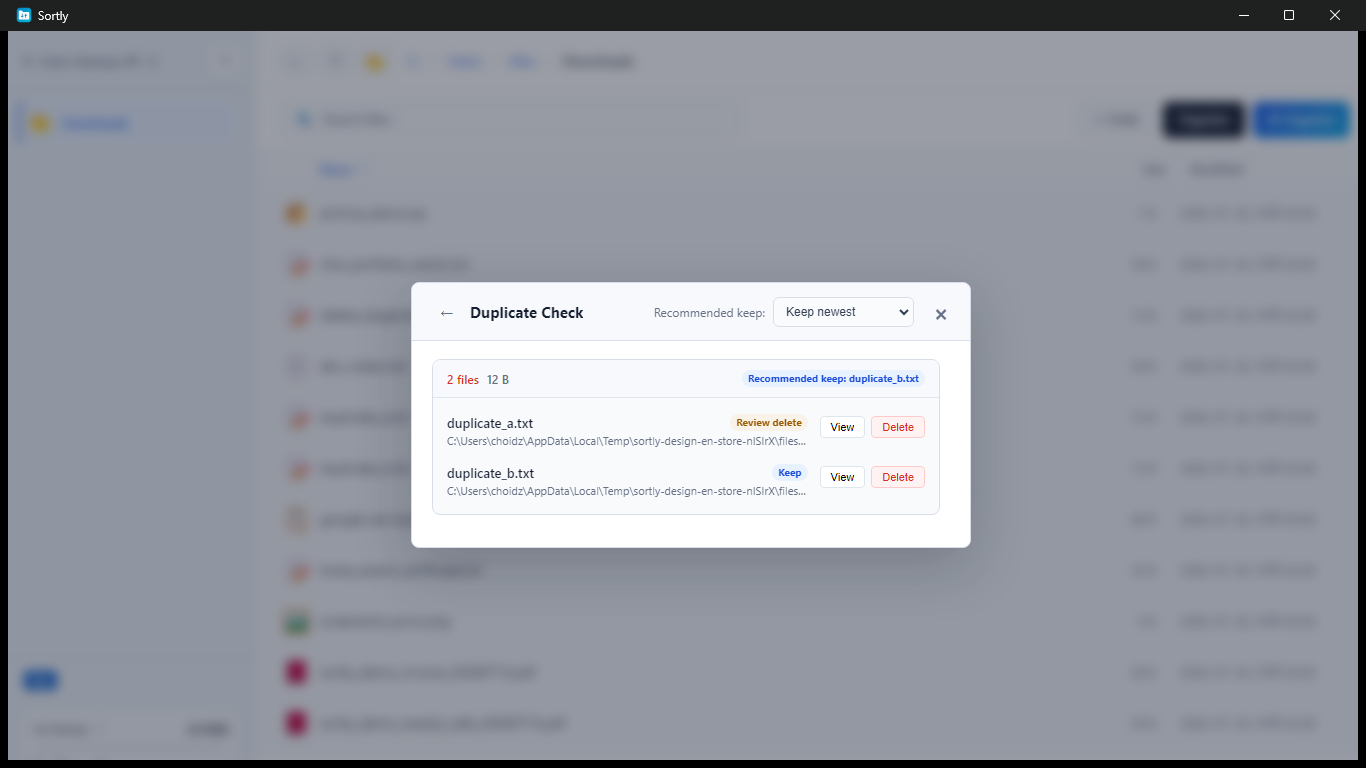
Sortly compares file sizes and contents to find true duplicates. Removed files go to the Recycle Bin, and a complete cleanup can be restored as one job.

  • Scan subfolders for duplicates
  • Show the largest duplicate groups first
  • Undo an entire cleanup in one click

Pro control center

Manage every folder
from one place.

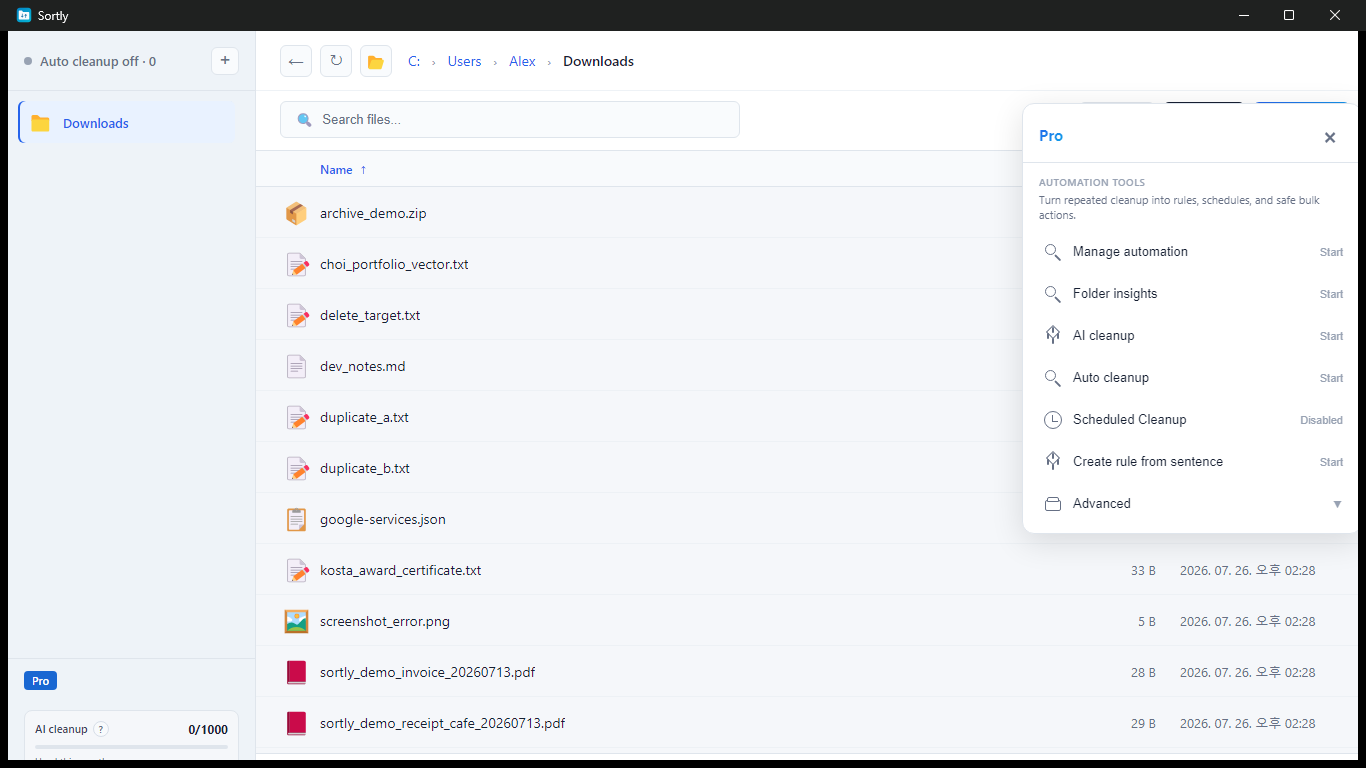
With Pro, start and manage per-folder automation, insights, AI cleanup, and scheduled jobs from one control center.

  • Multiple watched folders with individual pause controls
  • Daily, weekly, and monthly schedules
  • Folder insights and local safety checks
Sortly Pro control center for automation, insights, AI cleanup, and schedules

Local-first

Your file organization
starts on your PC.

Standard organization, rules, duplicate checks, and folder insights run locally. Cloud AI is used only when you choose the feature and consent.

Read the privacy policy
01No account required

Install and start without creating an account or signing in.

02Local history

Your rules and move history stay on your device by default.

03AI is optional

Image and music contents are not sent for cloud document analysis.

04Analytics is optional

Usage analytics is off by default and sent only when you enable it.

Start free

Start free.
Choose Pro when you need more automation.

Free

Everything you need for safe file cleanup

Free
  • Manual organization with previews
  • Duplicate file detection
  • Whole-job undo
  • Automatic organization for one folder
  • Try AI cleanup on 20 files
Install free

Pro

Automation for recurring cleanup

Microsoft Store subscription
  • Automate multiple folders at once
  • Pause and manage each folder separately
  • Scheduled cleanup and old-file archiving
  • Folder insights and local safety analysis
  • 1,000 AI cleanups each month
View Pro in the app

FAQ

Questions before
you install

Will Sortly move files without asking?

No. You can preview every destination before organizing. Afterward, you can restore the entire cleanup to the original locations.

Does Sortly send my files outside my PC?

Standard organization, rules, duplicate checks, and folder insights run on your PC. Cloud AI is used only when you choose it and consent. Image and music contents are not sent for cloud document analysis.

Can I use Sortly for free?

Yes. Manual organization, previews, undo, duplicate checks, and automation for one folder are free. Pro adds multi-folder automation, schedules, and other advanced tools.

Which versions of Windows are supported?

Sortly is available through Microsoft Store for Windows 10 and Windows 11, with English and Korean interfaces.
Your folders, on autopilot

Start with the files
you downloaded today.

Install Sortly free from Microsoft Store and preview your first cleanup.

Install Sortly free